We have compiled a list of manufacturers, distributors, product information, reference prices, and rankings for Optimal inkjet printer.
ipros is IPROS GMS IPROS One of the largest technical database sites in Japan that collects information on.

Optimal inkjet printer - List of Manufacturers, Suppliers, Companies and Products | IPROS GMS

Optimal inkjet printer Product List

1~5 item / All 5 items

Displayed results

Ideal for printing dates on individual packaging - Label printer

Various shapes, various uses. Original items available from just one.

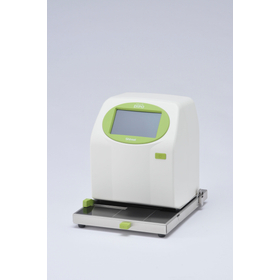
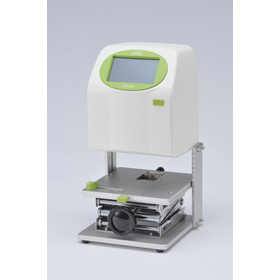
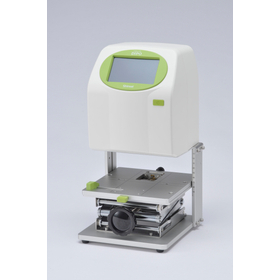
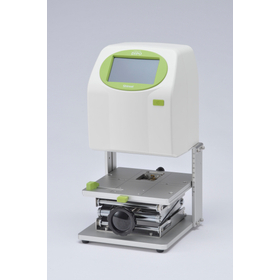
The "DiPO Series" is an inkjet printer that directly prints on various materials in both flat and three-dimensional forms. <For three-dimensional objects> It supports printing materials up to 155mm depending on the model. This model specializes in printing on various three-dimensional objects. <Printing via touch screen or foot switch> Print by touching the screen. With the optional foot switch, you can also perform printing tasks using both hands. <Original gauge for spheres> For unstable shapes like spheres, we can provide an original gauge that makes positioning for printing easier. (Paid service, please inquire separately) You can save up to 100 printing contents, such as dates and serial numbers. You can change the desired content and print density on the screen. 【Features】 ■ Two types of ink tailored to your needs ■ Save up to 100 printing contents ■ Change the desired content and print density on the screen ■ Edit the text or numbers you want to print on the screen ■ Predefined phrases can be listed for intuitive selection ■ Created and edited data can be saved to the main unit via USB memory or Bluetooth communication *For more details, please refer to the PDF document or feel free to contact us.

  • Inkjet printer
  • Optimal inkjet printer

Added to bookmarks

Bookmarks list

Bookmark has been removed

Bookmarks list

You can't add any more bookmarks

By registering as a member, you can increase the number of bookmarks you can save and organize them with labels.

Free membership registration

Ideal for printing dates on empty bags - Label printer

Just insert it, and it will print in no time.

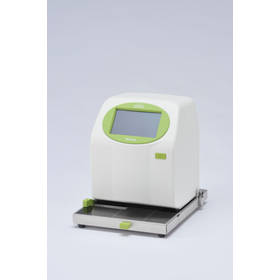
The "DiPO Series" is an inkjet printer that directly prints on various materials in both flat and three-dimensional forms. <For Flat Materials> It supports printing on materials up to 2mm thick. This model is specialized for printing on thin items like bags. <Automatic Printing with Insertion> The printer automatically starts printing when the printing material is detected by a sensor. It is also possible to switch to manual printing with a touch on the screen. <Easy Positioning of Prints> The printing position is determined using left and right levers and depth adjustment. You can consistently print in the same location according to the material or shape you want to print on. You can save up to 100 printing contents, such as dates and serial numbers. You can change the content you want to print and the density of the print on the screen. 【Features】 ■ Two types of ink tailored to different applications ■ Save up to 100 printing contents ■ Change the content and print density on the screen ■ Edit the text or numbers you want to print on the screen ■ Predefined phrases can be listed for intuitive selection ■ Created and edited data can be saved to the main unit via USB memory or Bluetooth communication *For more details, please refer to the PDF document or feel free to contact us.

  • Inkjet printer
  • Optimal inkjet printer

Added to bookmarks

Bookmarks list

Bookmark has been removed

Bookmarks list

You can't add any more bookmarks

By registering as a member, you can increase the number of bookmarks you can save and organize them with labels.

Free membership registration

Ideal for printing dates on canned and bottled products - Inkjet Printer DiPO

Easily add dates and serial numbers to cylindrical printed materials.

This is an inkjet printer ideal for printing on cylindrical items such as cans and bottles. <Features> By simply pressing it against the guide, you can easily print dates and manufacturing numbers at designated locations. Even if the size of the printed material or the desired printing location changes, you only need to slide the guide. <Automatic Printing with Sensor> By using an optional sensor, printing will automatically start when you press the item you want to print against the original gauge. <Applications> Print expiration dates and lot numbers on cans and bottles. Print manufacturing numbers on cosmetic containers. You can save up to 100 printing contents, such as dates and manufacturing numbers. You can change the content you want to print and the darkness of the print on the screen. 【Features】 ■ Two types of ink tailored to your needs ■ Save up to 100 printing contents ■ Change the content you want to print and the darkness of the print on the screen ■ Edit the characters and numbers you want to print on the screen ■ Predefined phrases can be listed for intuitive selection ■ Created and edited data can be saved to the main unit via USB memory or Bluetooth communication *For more details, please refer to the PDF document or feel free to contact us.

  • Inkjet printer
  • Other cosmetic packaging materials and containers
  • Bottle and can filling machine
  • Optimal inkjet printer

Added to bookmarks

Bookmarks list

Bookmark has been removed

Bookmarks list

You can't add any more bookmarks

By registering as a member, you can increase the number of bookmarks you can save and organize them with labels.

Free membership registration

Ideal for printing on filled food bags - Inkjet Printer DiPO

Easily print dates and manufacturing numbers on filled food packages.

This is an inkjet printer ideal for printing on packages filled with food and on vacuum-sealed ingredients. <Features> Prints dates and manufacturing numbers while correcting strong waves in bags containing food. Ensures optimal printing conditions while allowing the contents to escape even when food and ingredients are inside the bag. <Automatic Printing with Sensor Use> By using an optional sensor, printing starts automatically by sliding the item to be printed onto the original gauge. <Applications> For printing consumption and expiration dates or manufacturing numbers near the edges of food pouches and packaging materials. Up to 100 printing contents can be saved, including dates and manufacturing numbers. You can change the printing content and the density of the print on the screen. 【Features】 ■ Two types of ink tailored to applications ■ Save up to 100 printing contents ■ Change the printing content and density on the screen ■ Edit the text or numbers to be printed on the screen ■ Predefined phrases can be listed for intuitive selection ■ Created and edited data can be saved to the main unit via USB memory or Bluetooth communication *For more details, please refer to the PDF document or feel free to contact us.

  • Inkjet printer
  • Optimal inkjet printer

Added to bookmarks

Bookmarks list

Bookmark has been removed

Bookmarks list

You can't add any more bookmarks

By registering as a member, you can increase the number of bookmarks you can save and organize them with labels.

Free membership registration

Ideal for card printing - Inkjet Printer DiPO

Just insert it, and it will print in no time.

This is an inkjet printer ideal for printing cards such as membership cards and warranty certificates. <Features> It allows for precise alignment and beautiful printing even for small printed materials like PVC cards and accessory tags, using a dedicated original gauge. Simply set the card in the original gauge and insert it directly into the DiPO main unit. <Automatic Printing with Just Insertion> Just set the card in the original gauge and insert it directly into the DiPO main unit. <Applications> Printing names and membership dates on membership cards, temporarily entering visitor information (printing), and printing prices and product names on price tags. You can save up to 100 printing contents such as dates and serial numbers. You can change the content to be printed and the print density on the screen. 【Features】 ■ Two types of ink tailored to different applications ■ Save up to 100 printing contents ■ Change the content to be printed and the print density on the screen ■ Edit the text and numbers to be printed on the screen ■ Predefined phrases can be listed for intuitive selection ■ Created and edited data can be saved to the main unit via USB memory or Bluetooth communication *For more details, please refer to the PDF document or feel free to contact us.

  • Inkjet printer
  • Printer
  • Optimal inkjet printer

Added to bookmarks

Bookmarks list

Bookmark has been removed

Bookmarks list

You can't add any more bookmarks

By registering as a member, you can increase the number of bookmarks you can save and organize them with labels.

Free membership registration